Answer: Use the actual rational frame rate when converting frames and duration. A rate commonly labeled 23.976 is not exactly 24, and a display label is not always enough to identify variable timing.
On this page
Creator Edit Lab editorial project · Updated October 21, 2026 · Original decision framework and illustrative example. No physical product measurement or hands-on benchmark is claimed.
Why the distinction matters
Frame counts, timecode labels and elapsed time are related but different. A rounded rate can accumulate a meaningful difference over a long project. Variable-frame-rate media adds another issue: frames need not have equal presentation intervals. Inspect the file and use the application’s documented timing workflow rather than changing interpretation simply to make a label look familiar.
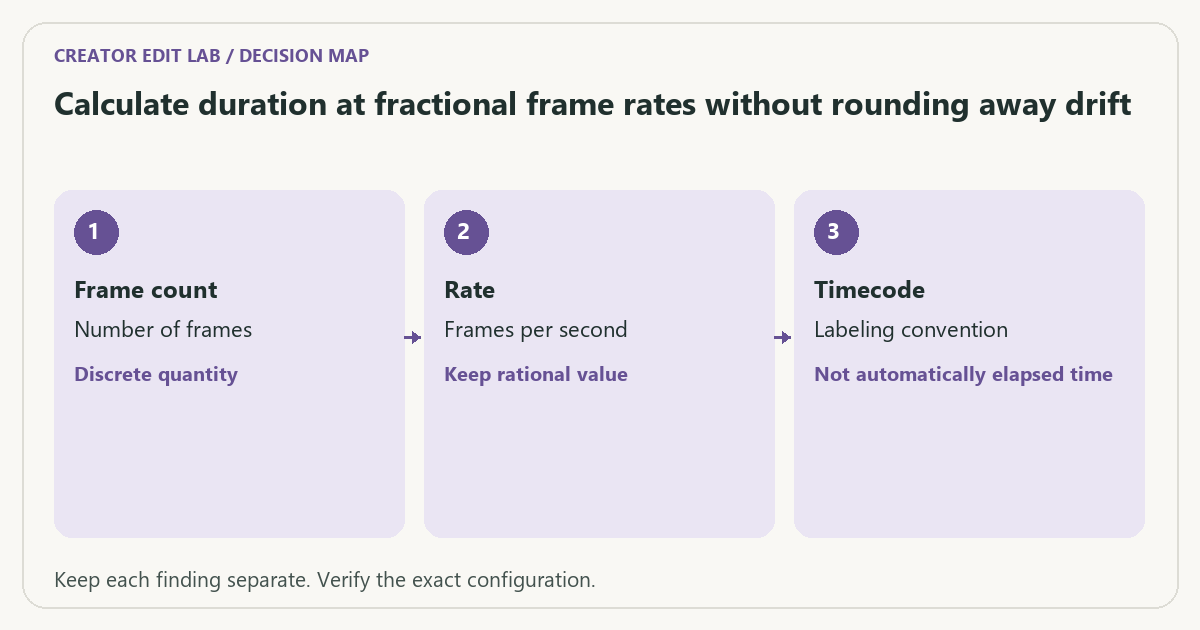
A practical sequence
- Read the source’s timing fields and determine whether the workflow uses constant or variable frame timing.
- Retain rational rates such as 24000/1001 or 30000/1001 where relevant.
- Use frames divided by frames-per-second for a constant-rate duration calculation.
- Compare the saved output’s beginning and end sync after any conversion.
Decision record
| Check | What it means | What to verify |
|---|---|---|
| Frame count | Number of frames | Discrete quantity |
| Rate | Frames per second | Keep rational value |
| Timecode | Labeling convention | Not automatically elapsed time |
Worked example
For 24,000 frames, 24 fps gives 1000 seconds. At 24000/1001 fps, the same frame count gives 1001 seconds. Rounding the second rate to 24 hides a one-second difference in this example. It does not explain every sync problem, but it shows why precise rate records matter.
Verify the result
Keep the original recording and a conversion note. Test a long-enough sample to reveal end drift, not only the opening clap. Drop-frame timecode changes labels under a convention; it is not a command to delete video frames.
Download the editable CSV worksheet · Delivery workbook
Question and answer
Does an average frame-rate field prove constant timing? No. Inspect the relevant timing evidence and application behavior. An average alone can hide variable intervals.
Sources and scope
- FFmpeg: ffprobe documentation — Read-only stream and format inspection. A metadata report does not prove visual quality.
- FFmpeg: filter documentation — Reference for explicit transformations and measurement filters; options depend on build.
The decision sequence, diagrams, worksheet and worked case are our editorial work. AI assisted research, drafting and implementation. Official references support the named technical distinctions; examples do not establish real product performance.
Continue the task
- Variable frame rate and audio sync
- Conform or convert frame rate? Decide whether duration should change
- Browse the complete resource library
A 240-frame file you can inspect
Our generated MP4 contains 240 decoded frames at an average frame rate of 24000/1001. ffprobe reports 10.010000 seconds, matching 240 ÷ (24000/1001) = 10.01. The separate 240-frame, 24 fps fixture lasts 10.000000 seconds. These are generated constant-rate examples; an average-rate field alone still does not certify constant timing in an arbitrary recording.
Download the fractional-rate fixture (291 kB) · Download its sanitized ffprobe JSON. Open the report in the media-report inspector, then compare the result with the frame-rate calculator.
Test record: November 7, 2026. These files were actually generated and inspected with ffmpeg version 9.0.2-essentials_build-www.gyan.dev. They are synthetic fixtures, not camera recordings, visual-quality scores or hardware-speed benchmarks. A different build can produce different byte counts. Commands and SHA-256 checksums · Measured results (JSON).
Build on what you just learned
Your next useful step.
Check compatibility, frame rate and compression.
OBS Hybrid MP4 or MKV? Choose for recovery and the editor you use
I would choose a recording container that tolerates an interrupted write, then test it in the actual editor.
Read the guide →H.264 vs H.265: editing cost and delivery compatibility
Choose the codec the whole workflow can handle, at an acceptable quality and file size. A smaller recording is not automatically easier to edit,…
Read the guide →