Answer: A target rate is an encoding instruction rather than a guaranteed final byte count. Inspect the exported average, audio and duration before changing codec or rate settings.
On this page
Creator Edit Lab editorial project · Updated October 21, 2026 · Original decision framework and illustrative example. No physical product measurement or hands-on benchmark is claimed.
Why the distinction matters
Variable bitrate allocates bits across the content, while constant-quality and target-bitrate modes pursue different goals. Encoder implementations can interpret controls differently. A static interview and fast-moving detailed footage are not interchangeable size or quality trials. Compare the actual mode and source content, not only a number labeled bitrate.
A practical sequence
- Record codec, encoder, rate-control mode, target, maximum and audio settings.
- Verify that the saved duration matches the intended range.
- Inspect file size and average stream rates using a local media inspector.
- For a strict cap, revise with a visible reserve and verify the final file again.
Decision record
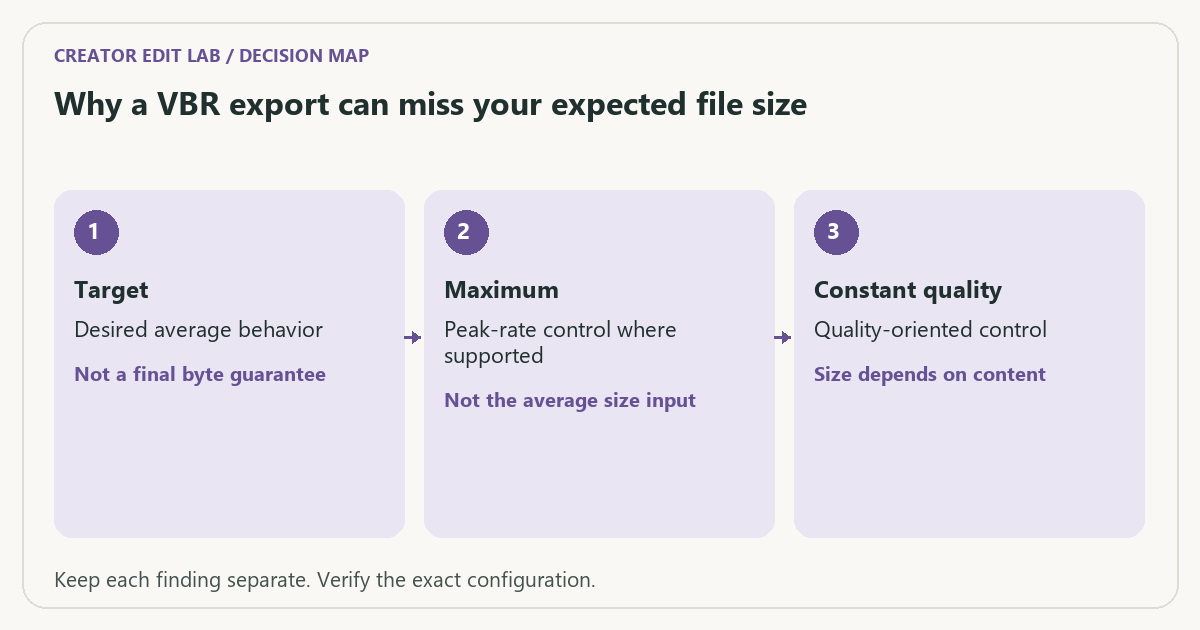
| Check | What it means | What to verify |
|---|---|---|
| Target | Desired average behavior | Not a final byte guarantee |
| Maximum | Peak-rate control where supported | Not the average size input |
| Constant quality | Quality-oriented control | Size depends on content |
Worked example
An illustrative 60-second file at an actual total average 10 Mbps is about 75 MB before small container differences. A file twice as long is about twice that size at the same actual average rate. If your output is unexpectedly large, confirm duration and audio streams before assuming the video codec failed.
Verify the result
Retain the original master and compare visible artifacts at equivalent delivery constraints. A smaller file is not automatically the more suitable edit format or a proof of superior encoding quality.
Download the editable CSV worksheet · Delivery workbook
Question and answer
Does switching H.264 to H.265 guarantee half the file size? No. Content, encoder, settings and the quality criterion matter. Use a representative comparison and verify recipient support.
Sources and scope
- Adobe Premiere: export settings reference — Export, caption and source options; verify your installed release.
- FFmpeg: ffprobe documentation — Read-only stream and format inspection. A metadata report does not prove visual quality.
The decision sequence, diagrams, worksheet and worked case are our editorial work. AI assisted research, drafting and implementation. Official references support the named technical distinctions; examples do not establish real product performance.
Continue the task
- H.264 vs H.265: editing cost and delivery compatibility
- Check vertical-video captions against the actual viewing layout
- Browse the complete resource library
Reproduce a constant-quality size comparison
In our generated test, two silent H.264 MP4 files used the same 640 × 360 dimensions, 24 fps, 240 frames, libx264 medium preset and CRF 18. A uniform gray frame produced 9,665 bytes; the moving testsrc2 pattern produced 1,277,714 bytes. Both files lasted 10.000 seconds. The setting stayed the same while the content and byte count changed.
This demonstrates why CRF is not a file-size promise. It does not measure visual equivalence between the two scenes, compare codecs, or predict a typical size ratio for real footage. In particular, this was constant-quality mode; it is not evidence that a two-pass target-bitrate encode will vary by the same amount. For a hard cap, measure the final file and include audio and container bytes.
Download gray fixture (9.7 kB) · Download moving fixture (1.28 MB).
Test record: November 7, 2026. These files were actually generated and inspected with ffmpeg version 9.0.2-essentials_build-www.gyan.dev. They are synthetic fixtures, not camera recordings, visual-quality scores or hardware-speed benchmarks. A different build can produce different byte counts. Commands and SHA-256 checksums · Measured results (JSON).
Build on what you just learned
Your next useful step.
Check compatibility, frame rate and compression.
OBS Hybrid MP4 or MKV? Choose for recovery and the editor you use
I would choose a recording container that tolerates an interrupted write, then test it in the actual editor.
Read the guide →H.264 vs H.265: editing cost and delivery compatibility
Choose the codec the whole workflow can handle, at an acceptable quality and file size. A smaller recording is not automatically easier to edit,…
Read the guide →