
Answer: Estimate the gain needed for the requested loudness, then check whether that gain would exceed the allowed peak. Render and measure the result because dynamics processing can change both.
On this page
Creator Edit Lab editorial project · Updated October 21, 2026 · Original decision framework and illustrative example. No physical product measurement or hands-on benchmark is claimed.
Why the distinction matters
Integrated loudness describes a program-level measure, while true peak addresses a different maximum-level concern. A destination can specify both. Do not apply a broadcast recommendation as a universal web target. Start with the recipient’s requirements and measure the full intended program. Silence, edits and processing can affect the result, so a short sample does not establish whole-program compliance.
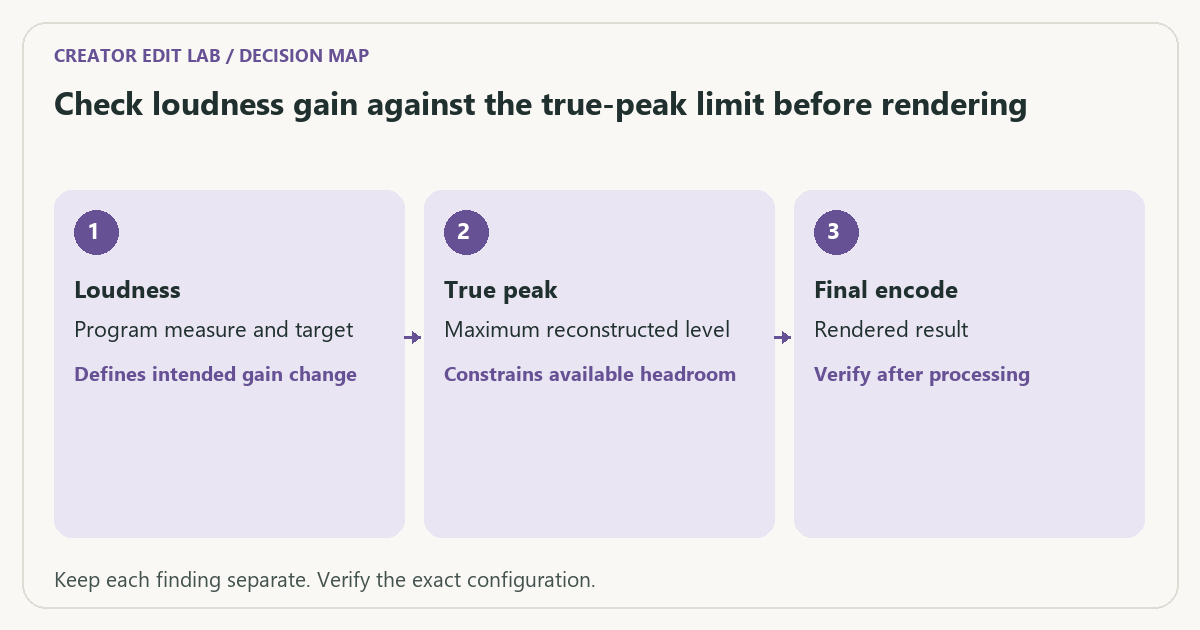
A practical sequence
- Record the actual destination loudness and peak requirements.
- Measure the unprocessed full program using an appropriate meter.
- Compare the required gain with available peak room and decide whether dynamics work is needed.
- Render the final encoding and measure the delivered audio again.
Decision record
| Check | What it means | What to verify |
|---|---|---|
| Loudness | Program measure and target | Defines intended gain change |
| True peak | Maximum reconstructed level | Constrains available headroom |
| Final encode | Rendered result | Verify after processing |
Worked example
With invented measurements, a program at −20 LUFS needs +4 dB to reach a requested −16 LUFS target. If its true peak is −2 dBTP, that simple gain predicts about +2 dBTP. The target would need a different processing decision to respect a lower peak limit. These are teaching values, not a universal delivery prescription.
Verify the result
Keep the before and after meter records with the exact file. Listen for audible damage as well as numerical compliance. A loudness meter is part of verification, not a substitute for evaluating the mix.
Download the editable CSV worksheet · Delivery workbook
Question and answer
Can I normalize only a short loud section and call the program compliant? Measure the program according to the destination’s required method and scope. A selected segment answers a different question.
Sources and scope
- EBU: Recommendation R 128 (official PDF) — Broadcast loudness context. A web client may request a different target.
The decision sequence, diagrams, worksheet and worked case are our editorial work. AI assisted research, drafting and implementation. Official references support the named technical distinctions; examples do not establish real product performance.
Continue the task
- Hardware vs software encoding: make a controlled comparison
- Avoid unnecessary lossy audio generations in a video delivery
- Browse the complete resource library
Build on what you just learned
Your next useful step.
Check channels, loudness and peak headroom.
Resolve 21 subframe audio edits: solve the click without moving the picture
Use fine audio timing when a frame-sized move is too coarse for a click, fade or transient.
Read the guide →
Clean dialogue without making the room pump between words
I would begin with a clean recording and restrained processing, then compare at matched listening level.
Read the guide →