
Answer: Keep a suitable high-quality source or master and create the required compressed delivery from it. Repeatedly exporting an already compressed delivery introduces another encoding generation.
On this page
Creator Edit Lab editorial project · Updated October 21, 2026 · Original decision framework and illustrative example. No physical product measurement or hands-on benchmark is claimed.
Why the distinction matters
A compressed file may be decoded and encoded again even when its extension stays the same. Container copying and stream copying are different operations from audio processing. If a change requires gain, edits or a different format, a new encode may be appropriate. Make that choice explicit and keep the earlier master rather than using the smallest previous upload as the only source.
A practical sequence
- Identify the best retained source and the actual audio codec in the current file.
- Decide whether the task needs processing, a container change or a new delivery encode.
- Export from the preserved edit or master using the required destination settings.
- Listen to difficult passages in the saved output and verify channel layout and duration.
Decision record
| Check | What it means | What to verify |
|---|---|---|
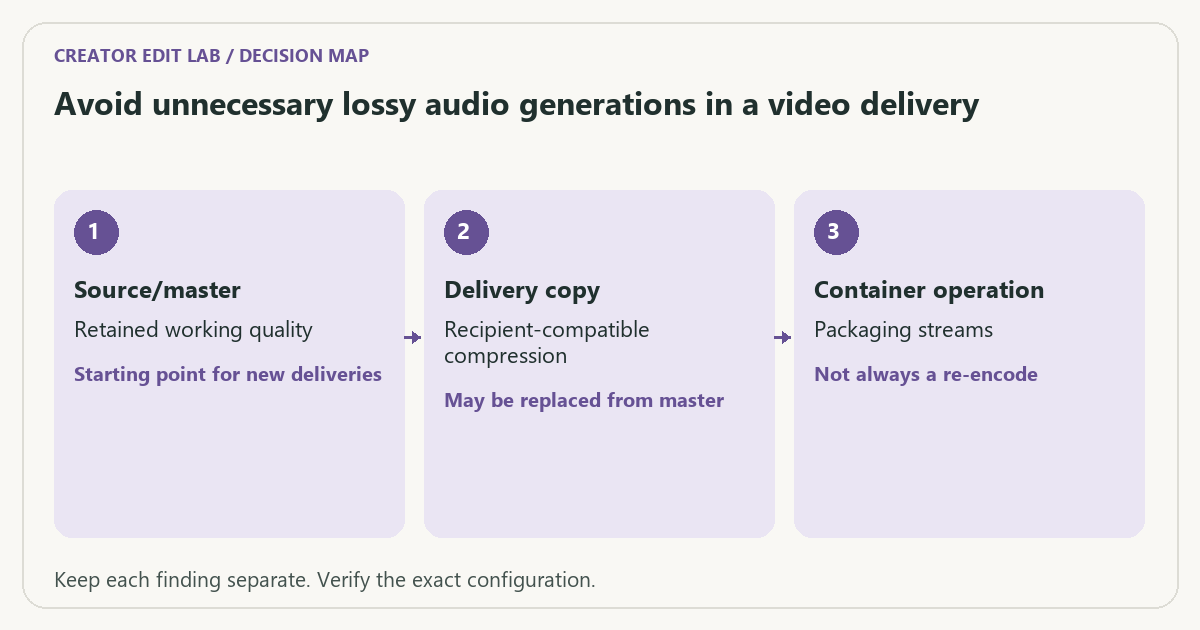
| Source/master | Retained working quality | Starting point for new deliveries |
| Delivery copy | Recipient-compatible compression | May be replaced from master |
| Container operation | Packaging streams | Not always a re-encode |
Worked example
A hypothetical AAC review file is downloaded, given a small title change and encoded to AAC again. That creates another lossy generation. Reopening the original project and making the same change can avoid using the review audio as the source for the next delivery.
Verify the result
Keep filenames and manifests clear enough to distinguish masters from reviews. A higher bitrate on a later copy cannot recreate information already discarded by earlier compression.
Download the editable CSV worksheet · Delivery workbook
Question and answer
Does renaming a file extension convert its codec? No. Inspect the actual streams and use a supported conversion or remux workflow appropriate to the task.
Sources and scope
- Adobe Premiere: export settings reference — Export, caption and source options; verify your installed release.
- FFmpeg: ffprobe documentation — Read-only stream and format inspection. A metadata report does not prove visual quality.
The decision sequence, diagrams, worksheet and worked case are our editorial work. AI assisted research, drafting and implementation. Official references support the named technical distinctions; examples do not establish real product performance.
Continue the task
- AV1 in an editing workflow: check support before recording
- Record bit depth and chroma when checking codec compatibility
- Browse the complete resource library
Build on what you just learned
Your next useful step.
Check channels, loudness and peak headroom.
Resolve 21 subframe audio edits: solve the click without moving the picture
Use fine audio timing when a frame-sized move is too coarse for a click, fade or transient.
Read the guide →
Clean dialogue without making the room pump between words
I would begin with a clean recording and restrained processing, then compare at matched listening level.
Read the guide →