Answer: Ask whether the recipient needs permanent visible text, a separate caption file or supported embedded captions. Verify the chosen route in the actual playback system.
On this page
Creator Edit Lab editorial project · Updated October 21, 2026 · Original decision framework and illustrative example. No physical product measurement or hands-on benchmark is claimed.
Why the distinction matters
Burnt-in captions become part of the image and cannot be switched off. A sidecar remains separate and needs the destination to associate and display it. Embedded caption support depends on format and workflow. Keep spelling, timing and line breaks editable until the proof is accepted. A video that looks correct locally can lose its captions when only the movie file is transferred.
A practical sequence
- Record the requested caption type, language, format and frame-rate assumptions.
- Proof spelling, punctuation, timing and readable line breaks in the edit.
- Export the required movie and caption artifacts using the supported application route.
- Test the received package and caption visibility in the intended player or platform.
Decision record
| Check | What it means | What to verify |
|---|---|---|
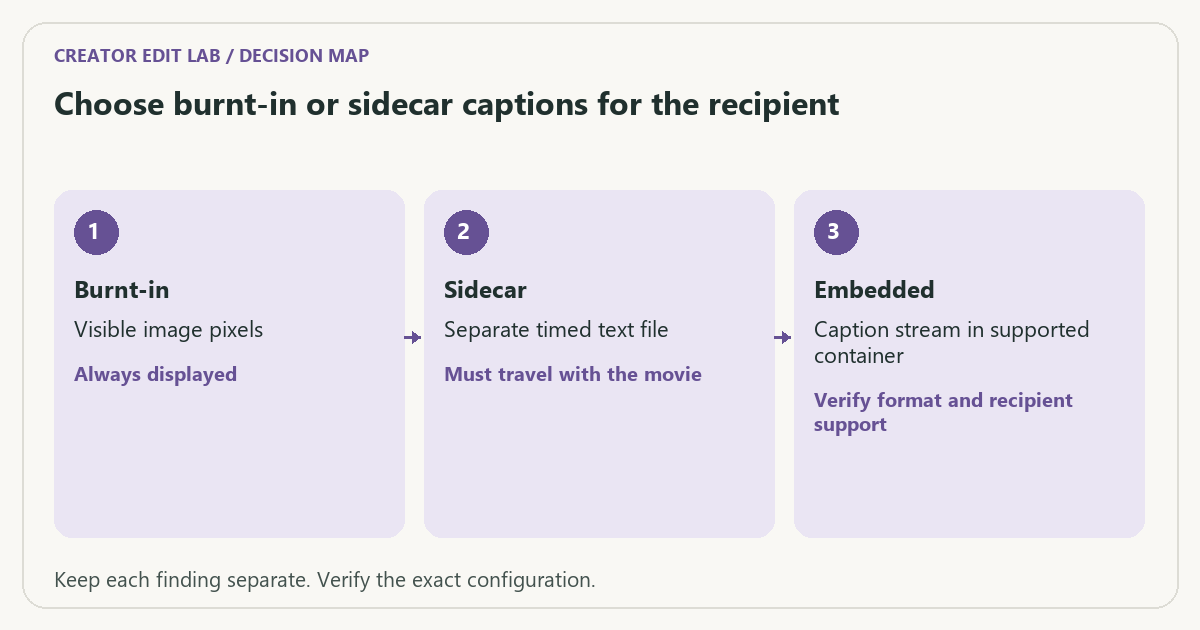
| Burnt-in | Visible image pixels | Always displayed |
| Sidecar | Separate timed text file | Must travel with the movie |
| Embedded | Caption stream in supported container | Verify format and recipient support |
Worked example
A fictional review package contains delivery.mp4 and delivery.en.srt. Sending only the MP4 leaves the sidecar behind. If the client requested visible captions in every ordinary player, the chosen sidecar route may also fail the requirement even when both files are supplied.
Verify the result
Keep a clean master and the editable caption source when the project permits it. Check the first, a middle and the final caption after export, including any timeline offset.
Download the editable CSV worksheet · Delivery workbook
Question and answer
Does an SRT file guarantee platform acceptance? No. Confirm the required format, encoding, language handling and upload route, then verify the result.
Sources and scope
- Adobe Premiere: export settings reference — Export, caption and source options; verify your installed release.
The decision sequence, diagrams, worksheet and worked case are our editorial work. AI assisted research, drafting and implementation. Official references support the named technical distinctions; examples do not establish real product performance.
Continue the task
- Moving an edit between applications
- Find wrong export ranges and unintended black frames
- Browse the complete resource library
Build on what you just learned
Your next useful step.
Check the crop, captions and real viewing layout.
Premiere transcription: choose the language and proof names before making captions
I would transcribe a short representative passage before generating captions for the entire edit.
Read the guide →
Vertical video delivery for TikTok and Instagram
Build the vertical edit for the frame people will actually see, then verify it in the destination app. A 1080 × 1920 canvas is…
Read the guide →
