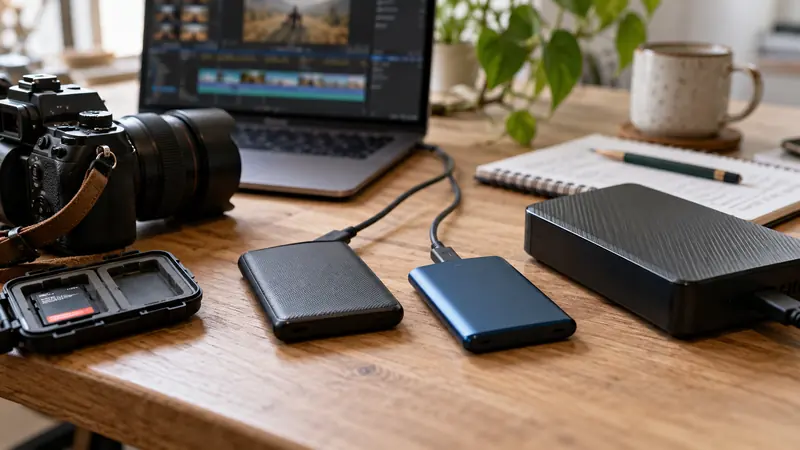
I would verify important copies against the source and keep independent copies before clearing a recording card. File count, filenames and apparent playback are useful checks, but they do not compare every byte. A SHA-256 comparison can provide stronger evidence that two files have identical content.
On this page
Our recommendation
I favour a documented verified-copy process plus playback and independent storage. A checksum is a valuable part of ingest, not a replacement for checking what was recorded and keeping a recoverable backup.
Compare the same files with the same algorithm
Microsoft’s Get-FileHash documentation describes computing file-content hashes and uses SHA-256 by default. Use the same algorithm on source and destination, then compare the values for each corresponding file. A matching filename is not the hash, and a hash for one clip does not verify a whole folder.
Keep a readable manifest containing relative path, file size, algorithm and hash. Retain the source until the required copies and checks are complete. A hash match confirms a copy relationship; it does not prove that the original recording was healthy or that the content is the intended take.
Combine integrity with a playback check
Open representative clips, inspect the beginning and end and check the expected audio tracks. Confirm the complete folder structure when a camera format depends on sidecar or index files. Do not copy only the visible video file if the manufacturer’s ingest workflow requires the card structure.
Keep verified copies on independent storage appropriate to the project. Two folders on one physical drive do not protect against that drive failing. Record the verification date and any exceptions, and use the approved card-clear process only after the required evidence is complete.
A Windows file check
Run the command below for a source clip and again for its destination copy, using the actual safe paths. Compare Algorithm and Hash, then repeat through a suitable verified-copy workflow for the full set. If a value differs, preserve the source and investigate or recopy; do not clear the card to make room first.
Get-FileHash -LiteralPath 'D:\Media\shot001.mov' -Algorithm SHA256Before you act
- Compare every required file, not one sample hash.
- Preserve required camera folder structures.
- Keep independent verified copies before clearing the source.
Use the Recording storage calculator to apply the guide to your own setup.
Keep exploring
- Test an editing backup by restoring a small project copy
- Archive an editing project with a readable delivery manifest
Sources and research notes
Research checked on 21 October 2026. Product specifications are manufacturer statements; examples and buying judgements are our analysis. No hands-on product test is implied.
Build on what you just learned
Your next useful step.
Organize, relink and restore with confidence.

Upgrade to Resolve 21 with a project-copy acceptance test
I would upgrade a working editing system only after preserving a recoverable project library and testing a representative project copy.
Read the guide →Resolve 21 IntelliSearch: budget the analysis before relying on search
I would test IntelliSearch on a representative media subset and keep a conventional folder and logging system alongside it.
Read the guide →