Answer: Restore to a separate location and verify the project, source references and a short output. A backup job’s success message does not prove the edit can be reopened.
On this page
Creator Edit Lab editorial project · Updated October 21, 2026 · Original decision framework and illustrative example. No physical product measurement or hands-on benchmark is claimed.
Why the distinction matters
An editing project depends on more than its timeline file. Media, fonts, plugins, linked graphics, audio and application state can matter. List the dependencies and define what the backup is intended to recover. Keep the working project untouched during the drill. A synchronized deletion can propagate to a mirror, so distinguish a current mirror from a retained recoverable version.
A practical sequence
- Choose a small representative project and preserve its working copy.
- Restore the intended backup into a separate clearly named test location.
- Open it through the application’s supported restore route and resolve dependencies from the restored set.
- Inspect known edits and export a short proof, recording unresolved items.
Decision record
| Check | What it means | What to verify |
|---|---|---|
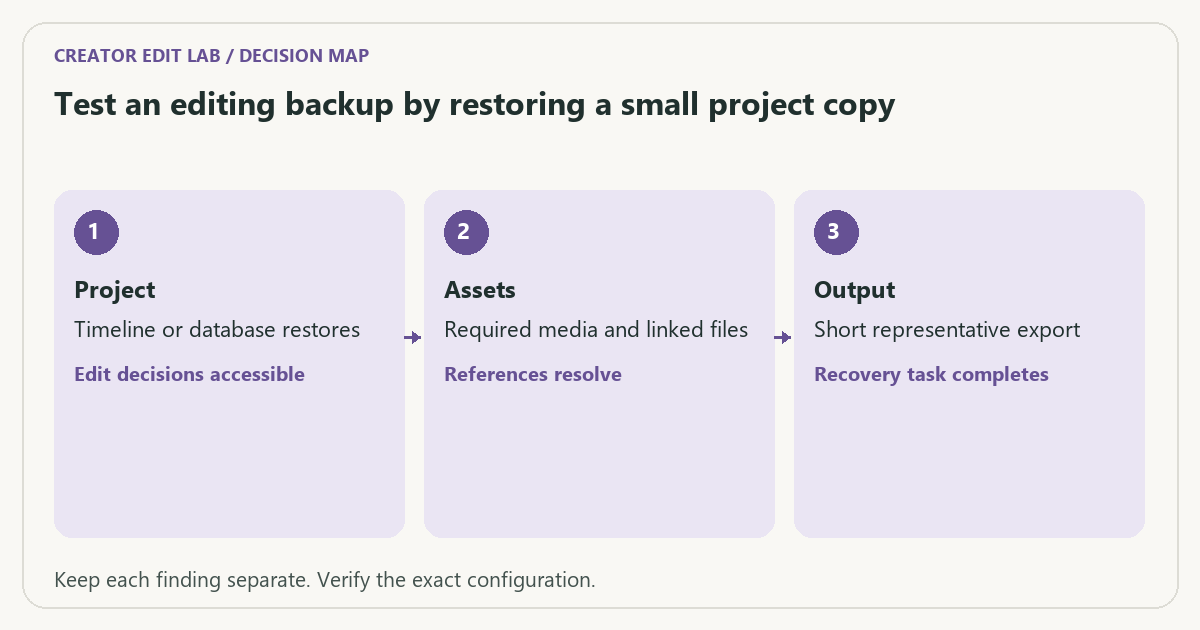
| Project | Timeline or database restores | Edit decisions accessible |
| Assets | Required media and linked files | References resolve |
| Output | Short representative export | Recovery task completes |
Worked example
An illustrative backup restores a project file but no original audio folder. The timeline opens with missing sound. That is a partially successful restore, not a complete recovery. The drill reveals the missing dependency while the live project is still available.
Verify the result
Record the application version, restore steps and result. Fix the backup scope and repeat the affected part of the drill. Keep original media and private project details out of public troubleshooting records.
Download the editable CSV worksheet · Delivery workbook
Question and answer
Does an autosave replace a media backup? Autosave can preserve project decisions, but it generally does not establish a separate recoverable copy of every required asset.
Sources and scope
- Blackmagic Design: support and manuals — Locate the manual matching your Resolve release and edition.
The decision sequence, diagrams, worksheet and worked case are our editorial work. AI assisted research, drafting and implementation. Official references support the named technical distinctions; examples do not establish real product performance.
Continue the task
- Backup and recovery for an editing project
- Name review exports so feedback reaches the right edit
- Browse the complete resource library
Build on what you just learned
Your next useful step.
Organize, relink and restore with confidence.

Upgrade to Resolve 21 with a project-copy acceptance test
I would upgrade a working editing system only after preserving a recoverable project library and testing a representative project copy.
Read the guide →Resolve 21 IntelliSearch: budget the analysis before relying on search
I would test IntelliSearch on a representative media subset and keep a conventional folder and logging system alongside it.
Read the guide →