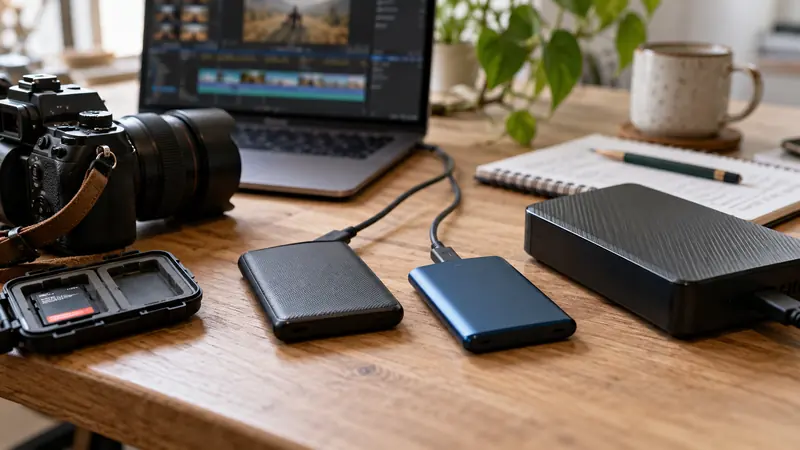
I would check the host port, cable, hub and SSD specifications before paying for a faster external drive. A USB-C plug does not establish a particular data rate. The complete path can be limited by its slowest supported link, and a charging-focused cable may not provide the expected data capability.
On this page
Our recommendation
I would verify the existing connection before upgrading the SSD. Buy the data capability needed by the measured workflow and keep the cable specification with the drive.
Read the performance labels separately
USB-IF’s Type-C guidance distinguishes connector naming from data-performance capabilities and describes USB 2.0 Type-C cables that cannot carry USB 3.2 or USB4 signals. Check the stated data rate as well as power rating. A high wattage number is not a storage-throughput claim.
Record the exact port used, including any dock or adapter. Two similar-looking ports on the same computer can have different capabilities or share resources. Use the manufacturer’s documentation rather than inferring speed from connector shape or cable thickness.
Test a representative transfer
Copy a sufficiently large harmless test file or use an appropriate non-destructive benchmark, then compare the observed rate with the job’s need. Keep source and destination storage performance in the interpretation. A slow source disk can limit a copy even when the external SSD link is fast.
For editing or recording, test the actual workflow too. A large sequential copy and several simultaneous media streams are different loads. Keep the successful cable and port combination labelled so an ordinary charging cable is not substituted before a deadline.
An order-of-magnitude check
A nominal 10 Gbit/s link is 1.25 GB/s before protocol overhead and device limits; it does not promise a 1.25 GB/s file copy. A path limited to 480 Mbit/s has a much lower theoretical ceiling of 60 MB/s. Use those conversions to identify a likely mismatch, then measure the real setup.
Before you act
- Check port, cable, hub and drive separately.
- Distinguish data rate from charging wattage.
- Test the actual source and workload.
Use the Recording storage calculator to apply the guide to your own setup.
Keep exploring
- SSD and HDD roles in a creator workflow
- Plan multicamera recording capacity and playback rate separately
Sources and research notes
Research checked on 21 October 2026. Product specifications are manufacturer statements; examples and buying judgements are our analysis. No hands-on product test is implied.
Build on what you just learned
Your next useful step.
Test a representative section before spending.
Resolve Free or Studio? Buy for a demonstrated workflow need
I would start with Resolve Free when its tested workflow meets the project, and buy Studio for a specific supported feature or processing requirement.
Read the guide →
GPU memory full: isolate the effect and frame size before buying a card
I would reproduce the failure on a short project copy and identify which combination of resolution, effects and media triggers it.
Read the guide →